Built from inside the trades
20 years of experience. Real problems. Real solutions.
Time tracking built for real crews
Clean clock-ins. Automatic overtime. A GPS stamp at every punch. Payroll-ready reports. All without turning phones into all-day surveillance devices.
✓ Built to protect payroll accuracy without treating workers like suspects.

20 years in trades
Built FieldClock for real crews
Click to read my story →
20 years of experience. Real problems. Real solutions.
Missing records, buddy punching, rounding. One system solves all.
Clock in, pick job, log breaks. FieldClock handles the rest.
Location only at the moments that matter — punches and status changes. Fair and useful.
Browser, PWA, or home screen install. Zero training needed.
Rebuilding hours from memory erodes trust on both sides — managers and workers alike. FieldClock turns every shift into a timestamped, reviewable record.
Each object exists because it solves a real field workflow issue.
I kept setup tight so you can punch a clean first shift the same day you sign up.
No surprise fees. Pick your crew size and go.
Crew and Full Crew include a 14 day free trial. No credit card required.
David built FieldClock after years in trades, trucking, and equipment where payroll clarity matters every week.
Workflow decisions shaped by actual job-site pressure.
Shift visibility with explicit consent and clear boundaries.
If it does not solve a field problem, it does not stay.
Email [email protected] and talk to me.
Roll out on web or installable PWA and start accurate tracking day one.
Open FieldClock and register your company with owner credentials.
Drop a map pin to mark the site.
Share join code and let workers self-register with consent.
Track clean shifts and run payroll with confidence.
Run your crew with clean records, fair overtime, and worker-respecting location checks from week one.
14 day free trial · No credit card · Cancel any time
Questions? I read every email - [email protected]
Every week, crews lose money to rounding, missing records, and zero proof when hours get questioned. I built FieldClock to fix that without turning the phone into an all-day surveillance device.
Workers fill in their own hours at the end of the week from memory. Rounding up is human nature — and it adds up.
Someone else clocks in for a coworker who's not even there. Verified punch locations make that a lot harder without needing invasive all-day tracking.
A wet job-site form, a forgotten spreadsheet, a crashed phone. Your payroll records should never depend on paper.
When nobody has a clean record of who punched where and when, payday turns into an argument. That costs trust just as fast as it costs money.
I've stood on a payday Friday when everyone just wants to go home, and watched someone have to fight for hours they'd already worked. I've also watched the hardest guys on the crew go unnoticed while the slackers figured out the system. Both of those problems have the same fix: accurate, transparent data. That's FieldClock.
I kept FieldClock lean by design. Every feature in here exists because I ran into the problem it solves — either as a worker who deserved to be paid right, or as a crew manager who needed to know who was actually producing.
Workers tap one button. FieldClock records the time and punch location right away, so managers get proof and workers do not get buried in extra steps.
Log lunch and short breaks with one tap. Set paid vs unpaid break rules, auto-deduct lunch time from hours, and get clean break history in every payroll report.
FieldClock saves a GPS point when a worker clocks in or out and when they change task, jobsite, or break — plus a one-time point if a manager requests it and the worker approves. Nothing in between. Enough to run the job without pretending every worker needs to be watched all day.
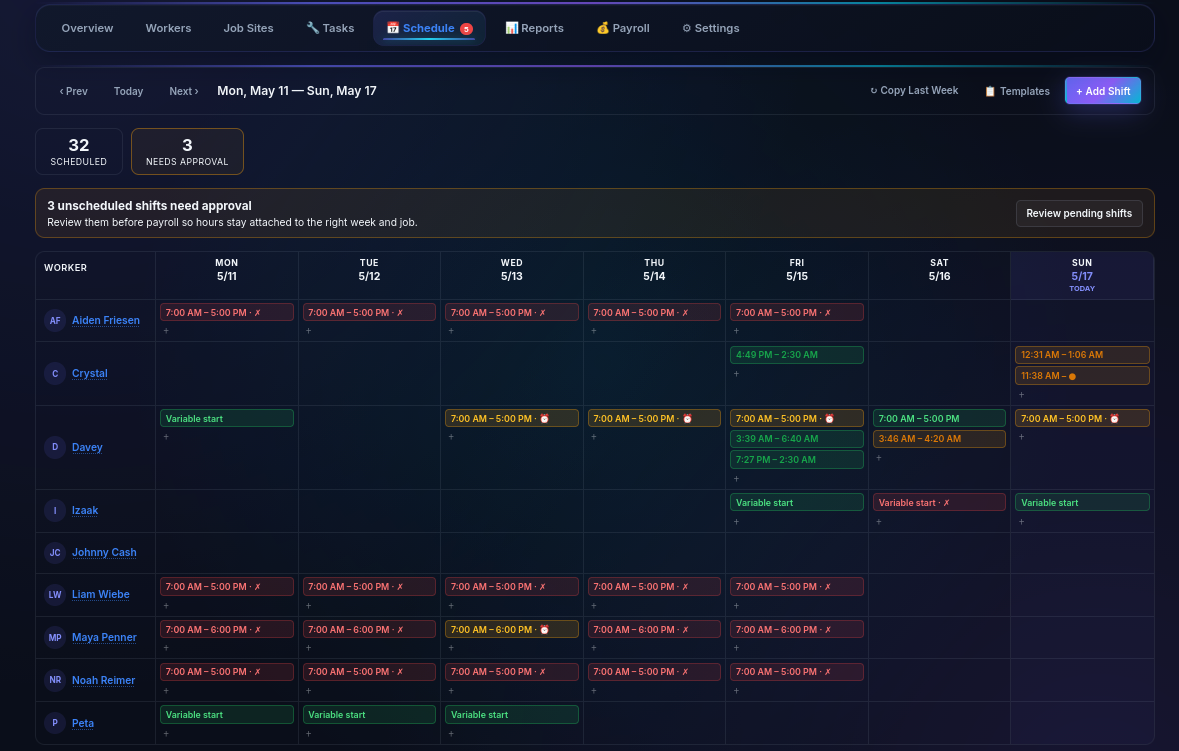
See who is on site, what job they are on, what task they picked, and how long they have been there — right now. Tap any worker for the full breakdown when you need it.
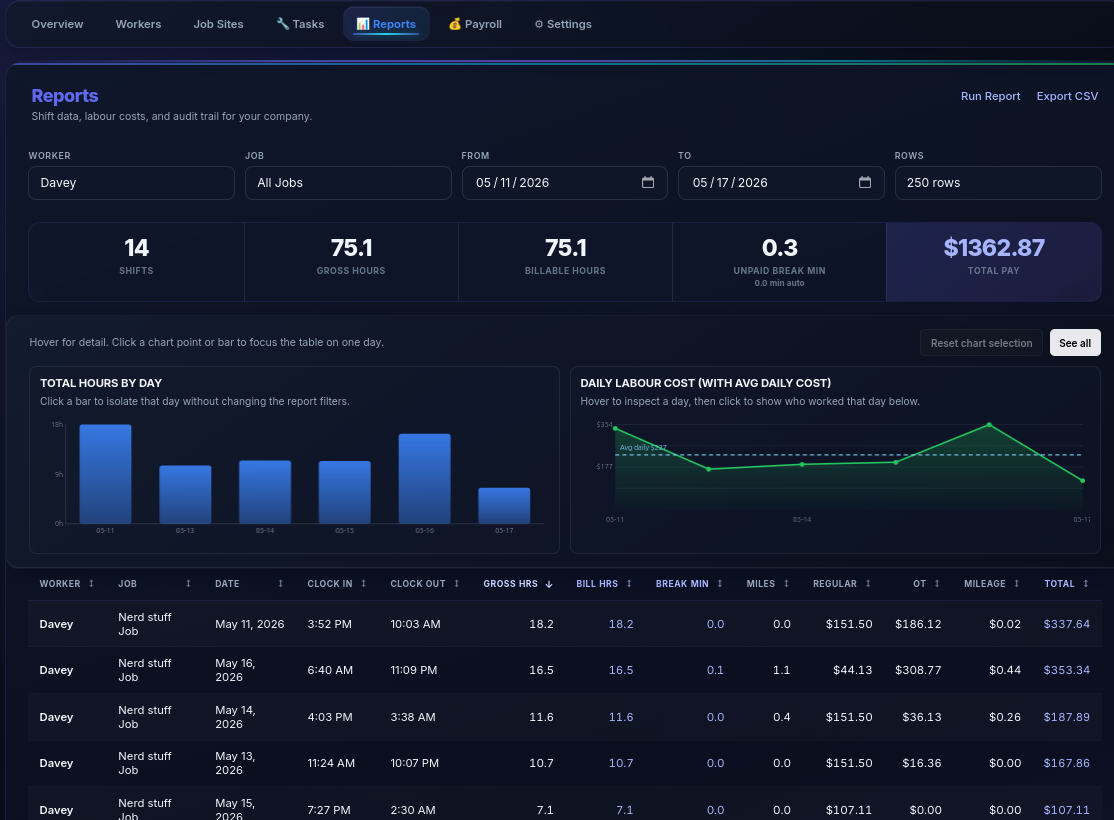
Set hourly rates and overtime multipliers once. FieldClock handles the math — regular time, daily OT, weekly OT — every single shift, automatically.
Workers can enter distance with an optional note, and managers can set a per-mile rate. FieldClock includes that manual mileage pay in shift summaries and payroll export.
Get notified the moment a worker clocks in, clocks out, or triggers an overtime threshold — right on your phone, even when the app isn't open.
I built FieldClock so you can run it in the browser or install it to the home screen for a cleaner, app-like workflow. If your crew wants zero setup, stay on the web. If they want it to feel more like an app without a store download, install the PWA.
Weekly, bi-weekly, or custom-range reports for any worker or job. Export CSV for your payroll software in seconds — breaks, OT, and pay totals all included.
See all your active job sites on a map. Drop pins and see where each worker punched in and changed task or jobsite out in the field.
Export payroll-ready CSV files by pay period or custom date range, then hand them directly to your accounting workflow without extra cleanup.
Productivity leaderboard, burn rate tracking, and per-worker hour summaries. Know who's producing, what it's costing, and where your labour dollars are going — by job site.
Workers review and accept the privacy agreement before the app activates. I keep the location side clear and limited up front so nobody has to guess what is being used or when.
Every company's data is completely separated. Your workers, jobs, and hours are never visible to anyone outside your organization.
Works with the tools you already use
From sign-up to your first verified punch — faster than filling out a paper timesheet.
Create an account, enter your company name, and you're in. No credit card required for the trial.
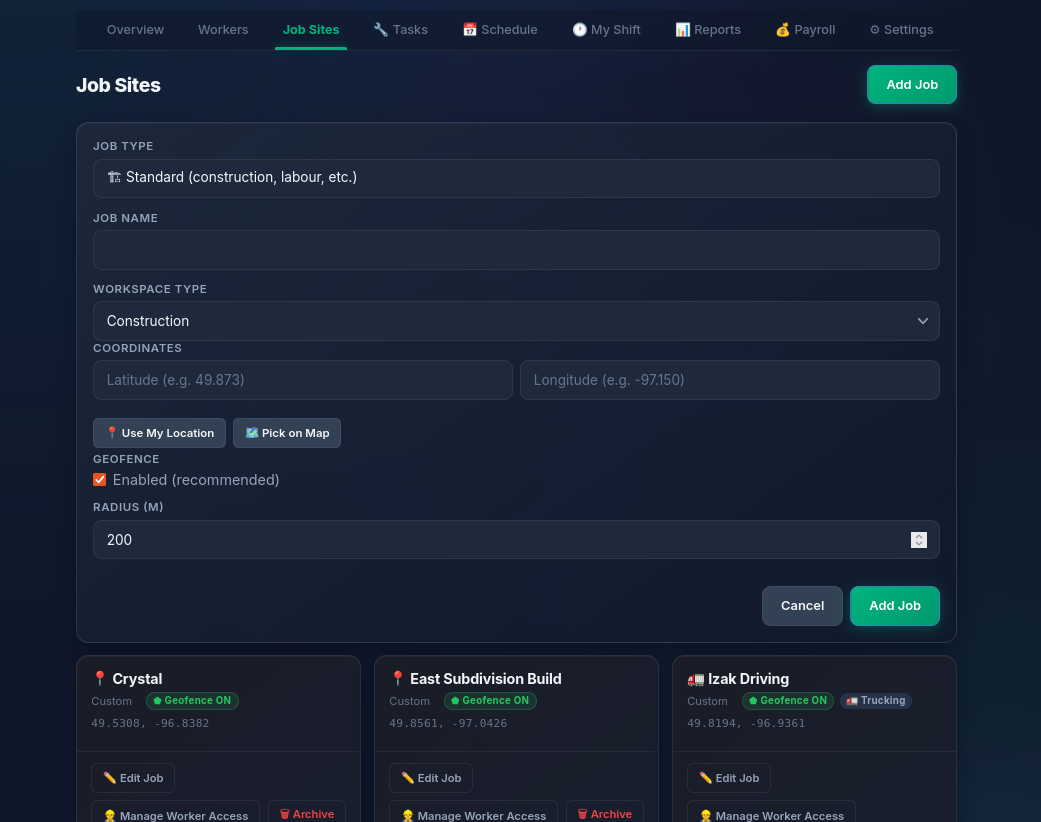
Add your job sites by tapping on a map or using your current location.
Share your unique join code link. Workers click it, create their own account, accept the privacy agreement, and they're ready to clock in — no IT, no setup on your end.
Workers tap Clock In from their phone. You see it on your dashboard, the hours stay clean, and the location checks stay useful without crossing the line.
Time tracking should not require a 6-week onboarding, a heavyweight software contract, or a creepy surveillance pitch. I know what actually matters on a real job site, so that is what I built for.
No per-seat traps. No surprise invoices. One flat fee for your whole crew.
Crew and Full Crew include a 14-day free trial. No credit card required. Bigger crews start with a quick conversation.
I was in the room when this was broken. I am not a suit with a pitch deck — I am David Neufeld from Mitchell, MB, and I built FieldClock to match what crews actually need in the field, not what software people imagine they need.
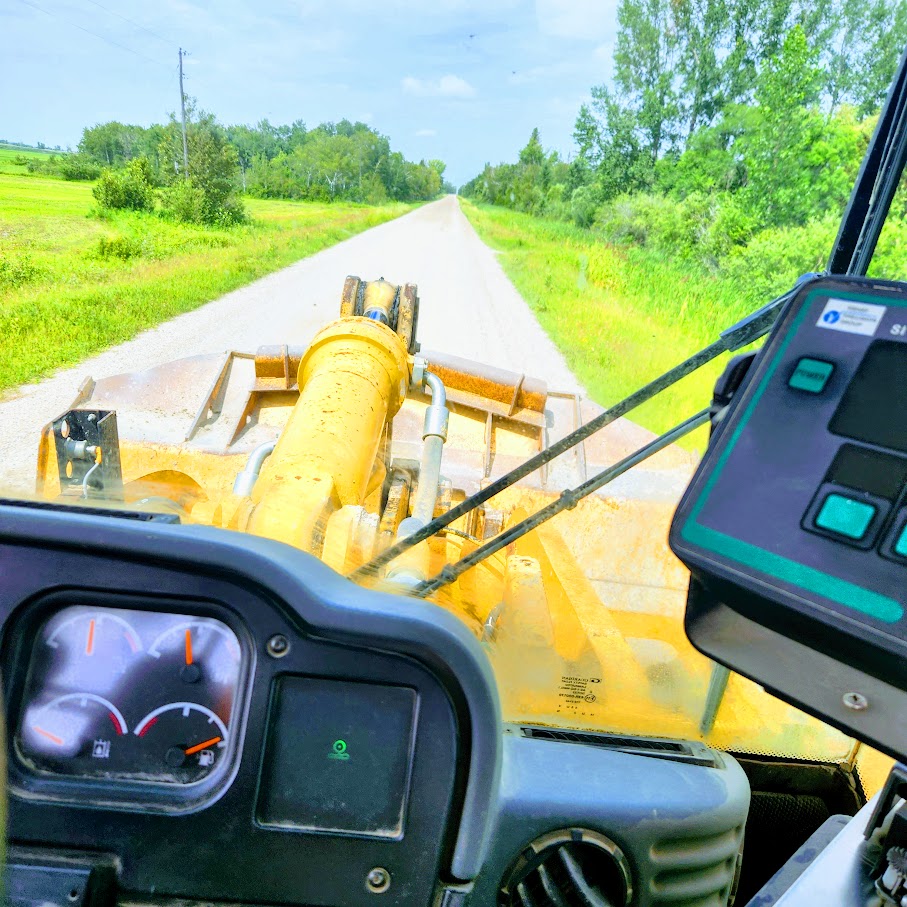
I was there before GPS was even a thing on a job site. Twenty years of it.
I've watched the technology wave come through the trades. And I've watched the suits follow right behind it, walking onto job sites with their apps and their onboarding sessions, telling us what we were doing wrong. It didn't land. It still doesn't. Because they built software for an industry they've never worked in.
I've worked beside, trained with, and learned from some of the best people in the business. And the one thing that never changes: the hardest workers — the ones showing up in the rain, grinding through the tough days — often go unnoticed. Meanwhile the guy who's figured out how to look busy gets the same cheque. That's not right, and every honest manager knows it.
I built FieldClock to fix that. Workers can see exactly what they are earning, right on their phone — a reminder of why they are out there on the hard days. Managers get real data on who is actually producing. In the trades, there is a saying: let the cream rise to the top. That is what I built this for.
I also did not want the answer to be all-day surveillance. I wanted clean proof when it matters — a location stamp at each punch and status change — and a product that still respects the person carrying the phone.
And I kept it flexible too. Some companies just want the speed of the web. Some want it on the home screen for a cleaner, app-like workflow. So I built it that way.
I've done a lot of different work: stucco and exteriors, carpentry, bricklaying, heavy equipment, trucking, tractor work, computer repair, junkyard co-owner, special needs home manager, gas jockey, chicken catching. I'm not listing that to impress anyone. I'm listing it because I know what a hard day costs a person — and I know how much it matters to get paid right for it.
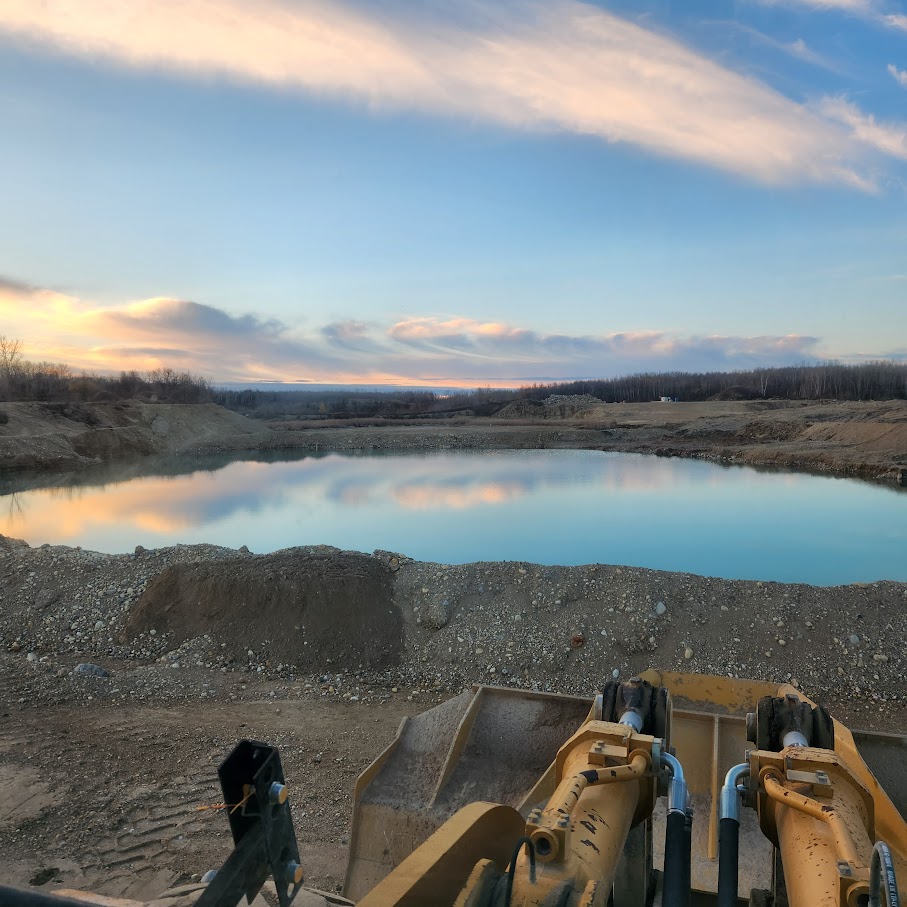
Real equipment. Real job sites. Real prairie winters.
This is the world I built FieldClock for.


Use the web app if you want the fastest rollout, or install the version your crew prefers. Either way, you can be tracking cleanly from day one.
Head to fieldclock.ca and click Register. Enter your company name, your name, and a password.
Go to Jobs in your manager panel. Tap the map to place your job site and save.
Share your join code link. Workers click it, sign up themselves, accept the privacy agreement, and they're ready to punch in. No logins to hand out, no IT support.
Workers clock in from their phones. Watch them appear on your live board in real time. Your time tracking is now automated.
I built this from the tools, not the boardroom. If you want clean hours, clear payroll, and useful location checks without creeping on your crew, I'm ready to help you get your crew running on FieldClock.
14-day free trial · No credit card · Cancel any time
Questions? I read every email — [email protected]
I was there before GPS was even a thing on a job site. Twenty years of it.
I've watched the technology wave come through the trades. And I've watched the suits follow right behind it, walking onto job sites with their apps and their onboarding sessions, telling us what we were doing wrong. It didn't land. It still doesn't. Because they built software for an industry they've never worked in.
I've trained dozens of workers and been trained by some of the best in the business. And the one thing that never changes: the hardest workers — the ones showing up in the rain, grinding through the tough days — often go unnoticed. Meanwhile the guy who's figured out how to look busy gets the same cheque. That's not right, and every honest manager knows it.
I built FieldClock to fix that. Workers can see exactly what they are earning, right on their phone — a reminder of why they are out there on the hard days. Managers get real data on who is actually producing. In the trades, there is a saying: let the cream rise to the top. That is what I built this for.
I also did not want the answer to be all-day surveillance. I wanted clean proof when it matters — a location stamp at each punch and status change — and a product that still respects the person carrying the phone.
And I kept it flexible too. Some companies just want the speed of the web. Some want it on the home screen for a cleaner, app-like workflow. So I built it that way.
I've done a lot of different work: stucco and exteriors, carpentry, bricklaying, heavy equipment, trucking, tractor work, computer repair, junkyard co-owner, special needs home manager, gas jockey, chicken catching. I'm not listing that to impress anyone. I'm listing it because I know what a hard day costs a person — and I know how much it matters to get paid right for it.